

Introduction
Run your agents across the machines you own.
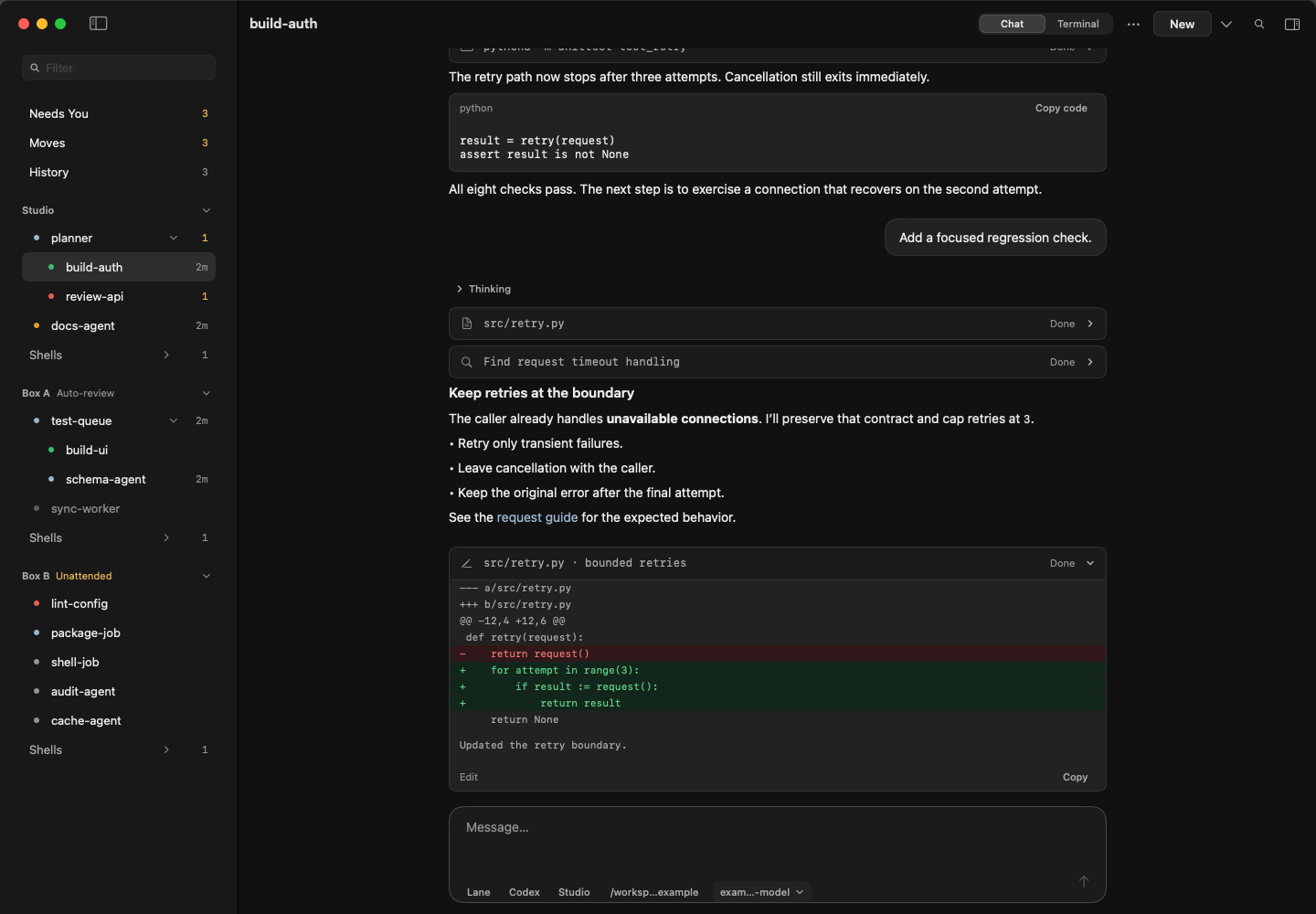
airship runs Claude Code and Codex sessions on your own Macs, Linux machines and VMs. Use one CLI or the optional Mac app to start work, follow conversations, answer questions and move sessions between machines.
Your agents run in tmux, locally or over SSH. There is no airship account, relay or central daemon. Your chosen agent provider still handles its own authentication and model requests.
Start with one machine
You do not need a fleet. Install the CLI, try the guided command-line tour, then start an agent in a repository you already use.
airship tour --runtime stubThe tour needs no model credentials. For real work, install and sign in to Claude Code or Codex on the machine that will run it.
Choose your next step
- Install airship on macOS or Linux.
- Run the five-minute quickstart to start and message a session.
- Use the Mac app if you prefer conversations and approvals in a native interface.
- Connect another machine when you want more capacity.
Who it is for
airship is for developers who want to keep coding agents running in their own environments, use spare machines, and stay in control of decisions. It coordinates agent sessions; your runtime, repositories, dependencies and host permissions remain yours to configure.
Languages
The product README is available in several languages. Browse the README translations on GitHub.